
Digital marketing has become the backbone of online businesses, and data-driven decisions are now more important than ever. Without knowing where your traffic comes from, how users behave on your site, or which marketing campaigns are driving results, your business could miss big opportunities. That’s where Google Analytics steps in.
In this detailed guide, we’ll cover everything you need to know about Google Analytics: what it is, why it matters, how to set it up, and how to use it effectively to grow your online presence in 2025. Google Analytics Guide: What It Is & How to Use It
H1: What is Google Analytics?
Google Analytics is a free web analytics tool by Google that helps businesses, marketers, and website owners track and analyze website traffic. It provides detailed insights into user behavior, such as:
- How visitors find your site (organic search, ads, social media, referrals, etc.)
- Which pages users spend the most time on
- How long they stay on your site
- Which devices or browsers they use
- Conversion tracking (form submissions, purchases, downloads, etc.)
In short, Google Analytics answers key questions like:
- Who is visiting my site?
- What are they doing once they arrive?
- How effective are my marketing campaigns?
H2: Why Google Analytics is Important in 2025
With digital marketing becoming more competitive, data is the new fuel for business growth. Here’s why Google Analytics is essential:
H3: 1. Understand Your Audience
You can track demographics (age, gender, interests) and locations to personalize content and offers.
H3: 2. Measure Marketing ROI
Google Analytics lets you see if your paid ads, SEO, or social campaigns are actually generating leads or sales.
H3: 3. Improve User Experience
By analyzing user behavior (bounce rate, average session duration), you can optimize your website’s speed, design, and content.
H3: 4. Track Conversions and Goals
Set up goals like purchases, downloads, or sign-ups to measure business success.
H3: 5. Make Data-Driven Decisions
Instead of guessing, you make decisions based on real-time data.
💡 Case Study:
A small e-commerce brand noticed that 70% of its traffic was mobile, but conversions were low. By analyzing Google Analytics, they found checkout pages weren’t mobile-friendly. After optimizing them, conversions increased by 45% within two months.
H2: Types of Google Analytics Versions
Google Analytics has evolved over the years. As of 2025, the main version is Google Analytics 4 (GA4).
H3: Universal Analytics (UA) – Old Version
- Used until July 2023
- Session-based tracking model
- Was popular for many years
H3: Google Analytics 4 (GA4) – Current Version
- Event-based tracking model (more flexible)
- AI-powered insights and predictive metrics
- Cross-platform tracking (web + app)
- Enhanced privacy features to comply with GDPR/CCPA
👉 If you’re new to Google Analytics in 2025, start directly with GA4, as Universal Analytics is no longer supported.
H2: How to Set Up Google Analytics (Step by Step)
Setting up Google Analytics may sound technical, but it’s actually straightforward. Here’s a complete step-by-step process:
H3: Step 1 – Create a Google Analytics Account
- Go to analytics.google.com.
- Sign in with your Google account.
- Click on Start Measuring.
H3: Step 2 – Set Up Property
- Enter property name (e.g., your website name).
- Select reporting time zone and currency.
H3: Step 3 – Choose Platform
- Website
- Android app
- iOS app
H3: Step 4 – Add Tracking Code to Your Website
- Google Analytics provides a Global Site Tag (gtag.js).
- Copy and paste it before the
</head>tag of your website. - For WordPress users, plugins like MonsterInsights or Site Kit by Google make integration easier.
H3: Step 5 – Verify Tracking
- Visit your website.
- Open Google Analytics → Real-time reports.
- If you see activity, tracking is working.
H2: Key Features of Google Analytics You Must Know
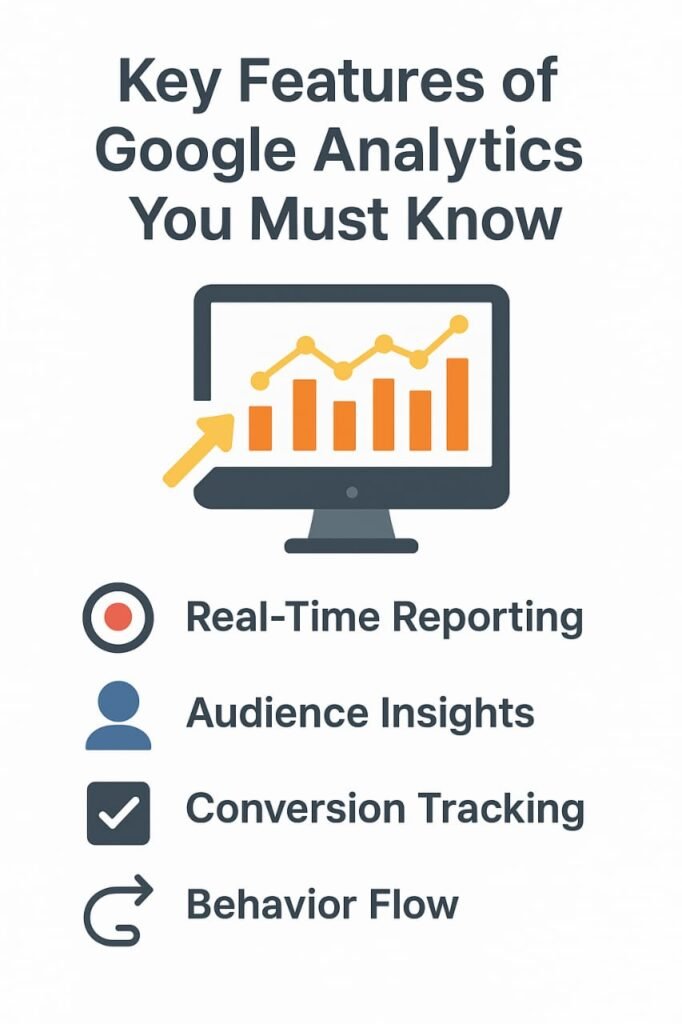
Google Analytics is packed with features. Let’s explore the most useful ones for beginners and professionals alike.
H3: 1. Real-Time Data
See how many users are currently on your site and what they’re doing.
H3: 2. Audience Reports
Understand demographics, location, interests, and technology (device/browser).
H3: 3. Acquisition Reports
Find out how users reach your site:
- Organic search (SEO)
- Paid ads (Google Ads, Facebook Ads)
- Referral traffic
- Social media
- Direct visits
H3: 4. Behavior Reports
Check:
- Which pages get the most traffic
- Average time spent on pages
- Exit pages (where people leave your site)
H3: 5. Conversion Tracking
Measure sign-ups, downloads, or e-commerce purchases.
H3: 6. Events & Custom Reports
Track custom events like button clicks, video plays, or form submissions.
H2: How to Use Google Analytics Effectively (Practical Tips)
H3: 1. Set Up Goals
Example: If you run an e-commerce store, goals could be:
- Purchase completed
- Add to cart
- Newsletter subscription
H3: 2. Use UTM Parameters
When sharing links on social media or ads, use UTM tags (like ?utm_source=facebook&utm_medium=cpc&utm_campaign=sale) to track campaign performance.
H3: 3. Create Custom Dashboards
Customize dashboards to view KPIs like traffic, conversions, and revenue at a glance.
H3: 4. Integrate Google Ads and Search Console
- Google Ads: Track ad performance directly in Analytics.
- Search Console: See which keywords drive organic traffic.
H3: 5. Segment Your Audience
Analyze traffic by device, country, or behavior for more personalized insights.
H2: Pros & Cons of Google Analytics
Like any tool, Google Analytics has strengths and weaknesses.
H3: Pros
- Free to use
- In-depth tracking and reporting
- Works for both small blogs and large businesses
- Integration with Google Ads, Search Console, BigQuery
- AI-powered insights in GA4
H3: Cons
- Steep learning curve for beginners
- GA4 interface is still confusing for many users
- Privacy concerns (data sharing with Google)
- Advanced features may require technical knowledge
H2: Real-Life Example – How a Startup Grew with Google Analytics
A digital course creator in India used Google Analytics to analyze traffic sources. They found that 80% of sales came from organic search traffic rather than paid ads. By doubling down on SEO, publishing more blog posts, and optimizing landing pages, they reduced ad spend by 40% while increasing revenue by 65% in just six months.
This shows the power of insights from Google Analytics when used strategically.
H2: Future of Google Analytics in 2025 and Beyond
Google Analytics is becoming smarter with AI, predictive analytics, and privacy-first tracking. Expect:
- Better cross-device tracking (web + app)
- AI-powered predictions (e.g., likelihood of purchase)
- Deeper integration with Google Ads and BigQuery
- Privacy-friendly tracking in compliance with new global laws
H2: Conclusion
Google Analytics is not just a tool – it’s the backbone of successful digital marketing strategies. Whether you’re a beginner blogger, an e-commerce business owner, or a digital marketing professional, mastering Google Analytics helps you make data-driven decisions, improve user experience, and grow revenue.
In 2025, with Google Analytics 4 (GA4) at the forefront, businesses that leverage analytics effectively will always stay ahead of their competitors.
👉 Start small: set up your Google Analytics account, track basic metrics, and gradually explore advanced features. With practice, you’ll discover endless opportunities to grow your online business.
H2: FAQs (Optimized for SEO)
H3: 1. What is Google Analytics used for?
Google Analytics is used to track website traffic, user behavior, and conversions, helping businesses improve performance and marketing ROI.
H3: 2. Is Google Analytics free to use?
Yes, Google Analytics is free for most users. However, large enterprises may opt for Google Analytics 360, a premium version with advanced features.
H3: 3. How do I add Google Analytics to my WordPress site?
You can either manually paste the tracking code into your theme’s <head> section or use plugins like MonsterInsights or Google Site Kit.
H3: 4. What is GA4 in Google Analytics?
GA4 (Google Analytics 4) is the latest version of Google Analytics, offering event-based tracking, AI insights, and cross-platform reporting.
H3: 5. Can I track mobile app performance with Google Analytics?
Yes, GA4 allows you to track both websites and mobile apps in a single property for seamless cross-platform analysis.
Google Analytics Guide: What It Is & How to Use It Google Analytics Guide: What It Is & How to Use It Google Analytics Guide: What It Is & How to Use It Google Analytics Guide: What It Is & How to Use It Google Analytics Guide: What It Is & How to Use It Google Analytics Guide: What It Is & How to Use It Google Analytics Guide: What It Is & How to Use It Google Analytics Guide: What It Is & How to Use It Google Analytics Guide: What It Is & How to Use It Google Analytics Guide: What It Is & How to Use It Google Analytics Guide: What It Is & How to Use It Google Analytics Guide: What It Is & How to Use It Google Analytics Guide: What It Is & How to Use It Google Analytics Guide: What It Is & How to Use It Google Analytics Guide: What It Is & How to Use It